
Opera
Opera is a free web browser for Windows from Opera Software. The stable release is 136.0.6008.22, published on 17 September 2026.
133.1 MB

Puffin Browser is a cloud-based browser from CloudMosa for Windows that renders web pages on remote servers to keep threats away from your PC.
Average 0.0 · ratings: 0
Thank you! Your rating is saved; you can change it. Could not save the rating. Please try again later. Too many ratings from your network today. Please try again tomorrow. The average appears after 5 ratings.
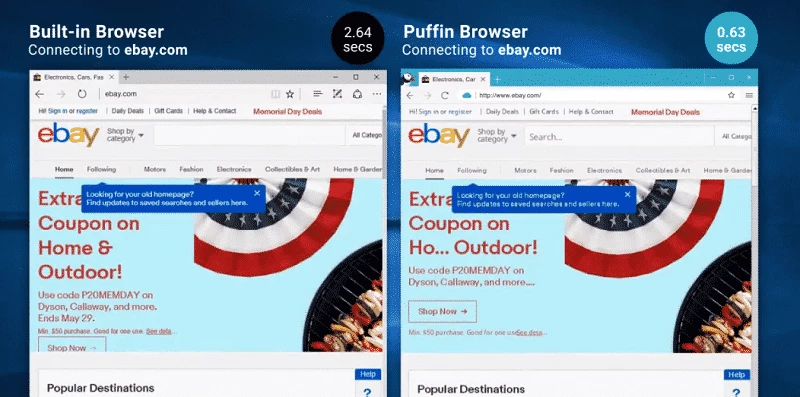
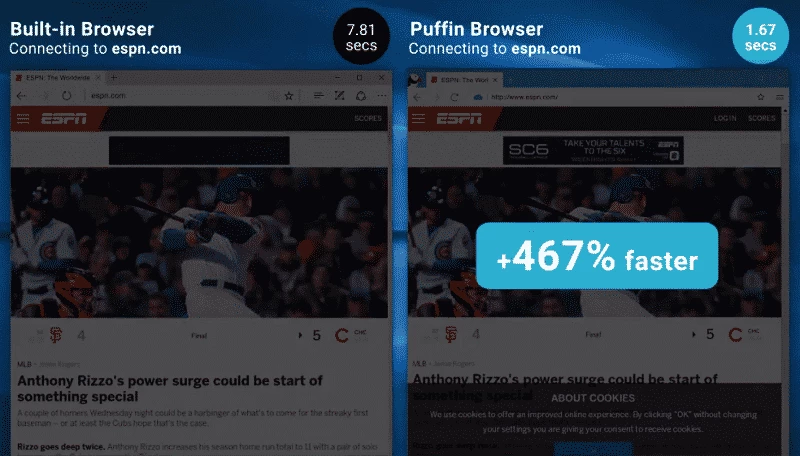
Puffin Browser 10.1.1.609 is a web browser for Windows from CloudMosa Inc that loads and renders websites on the company's cloud servers instead of on your computer. You download Puffin Browser for Windows when you want web pages kept away from your PC for security reasons, while still browsing in a normal-looking window.
Most browsers download a page's code and run it on your device. Puffin takes a different route. When you open a site, a server in CloudMosa's data centre fetches it, runs its scripts and sends your computer a compressed stream of the result. Your PC mainly displays that stream and sends back clicks and typing. Two consequences follow. First, isolation: malicious scripts, drive-by downloads and many exploit attempts run on the remote server, not on your system, which is why CloudMosa markets the desktop version as a secure browser. Second, the remote server sees what you browse, and your traffic appears to come from CloudMosa's addresses rather than your own, which can affect sites that check location. Pages can load quickly on slow connections because the server does the heavy lifting, but interaction may feel slightly delayed on long distances to the data centre. Puffin also exists for Android and iOS, where it started as a fast mobile browser.
Puffin runs on Windows and needs a stable internet connection, since every page depends on the cloud servers. The installer is about 46.81 MB according to catalogue data. Local hardware needs are modest, which makes it usable on older PCs.
Isolation protects your device, but it moves trust to CloudMosa: the company's servers process everything you visit, including logins. Read its privacy policy before signing in to banking or work accounts. Some sites, such as streaming services and banks, may block or limit cloud-based browsers.
CloudMosa has offered Puffin on desktop with free and paid plans that differ in bandwidth and features. Check the current conditions on the official site before relying on it for daily work.
For privacy-focused local browsing, Mullvad Browser and DuckDuckGo are on our site. Microsoft Edge offers built-in protection against malicious sites, and Opera and Firefox ESR are other general-purpose choices.
Opera is a free web browser for Windows from Opera Software. The stable release is 136.0.6008.22, published on 17 September 2026.

UC Browser for Windows is the desktop version of the web browser from UCWeb, a Chinese mobile internet company.

Google Translate is Google's multilingual machine translation service, used on Windows through the website and a browser extension.

Microsoft Edge is Microsoft's web browser, preinstalled on current Windows versions and available as a free download for reinstalling or updating.

Mozilla Firefox is a free and open-source web browser developed by Mozilla, available for Windows, macOS, Linux, Android and iOS.

Google Chrome is the free web browser from Google. The stable Windows release is 154.0.8037.58, out since 22 September 2026.

Cent Browser is a free Chromium-based browser for Windows from Cent Studio that adds mouse gestures, tab tweaks and other power-user options.